 Minecraft Server Hosting
 Game Swap included
Switch your server to another game in the panel, at no extra cost, and the world from the previous game stays in a backup. How many of our 26 games a plan runs depends on its memory - the number is in the summary.
Game Swap included
Switch your server to another game in the panel, at no extra cost, and the world from the previous game stays in a backup. How many of our 26 games a plan runs depends on its memory - the number is in the summary.
Prices shown with code FIRSTSERVER: -20% off your first invoice. Renewals go at the regular price. All prices include VAT.
Install any pack straight from the panel, in one click, with no manual uploading. You pick the modpack and the version, we build the server around it and set the matching Java.
Real reviews from Trustpilot, written by people who run their servers with us.

Very good hosting, great prices and really powerful servers. The admins are genuinely helpful and they answer fast. I have nothing to complain about. Recommended.
A few of us needed a Minecraft server for a couple of weeks and we were not disappointed. The dashboard is pleasant to use and the server never stuttered once. The prices are very competitive too. I recommend it to everyone.
Great hosting, the prices are solid and there are promotions. The server flies with a lot of mods and players, very stable, and overall great hosting. I recommend it to anyone, from the mid-range plans up.
I am really happy with this hosting. The prices are competitive compared with other hosts. You can install ready-made modpacks, and you can upload your own as well (it takes a bit of tinkering, but nothing hard if you want to). The server simply runs and does not shut down for no reason. Demanding modpacks work without a hitch, as long as you picked the right engine and server type. The interface is pleasant and intuitive. Support reacts quickly and politely.
For this price, incredible. When I had a problem with mods, support answered quickly, briefly and to the point. I recommend it with all my heart <3
Everything runs without lag with a fairly big pack of mods. Support was helpful even though it was my first time setting up a server. Everything was explained to me and they fixed what I had broken :) I honestly recommend it!
The hosting does the job and I bought one of the cheaper plans. Support helps even with things that are not really their problem, so if someone needs hosting for a Minecraft server for friends, this is the perfect choice!
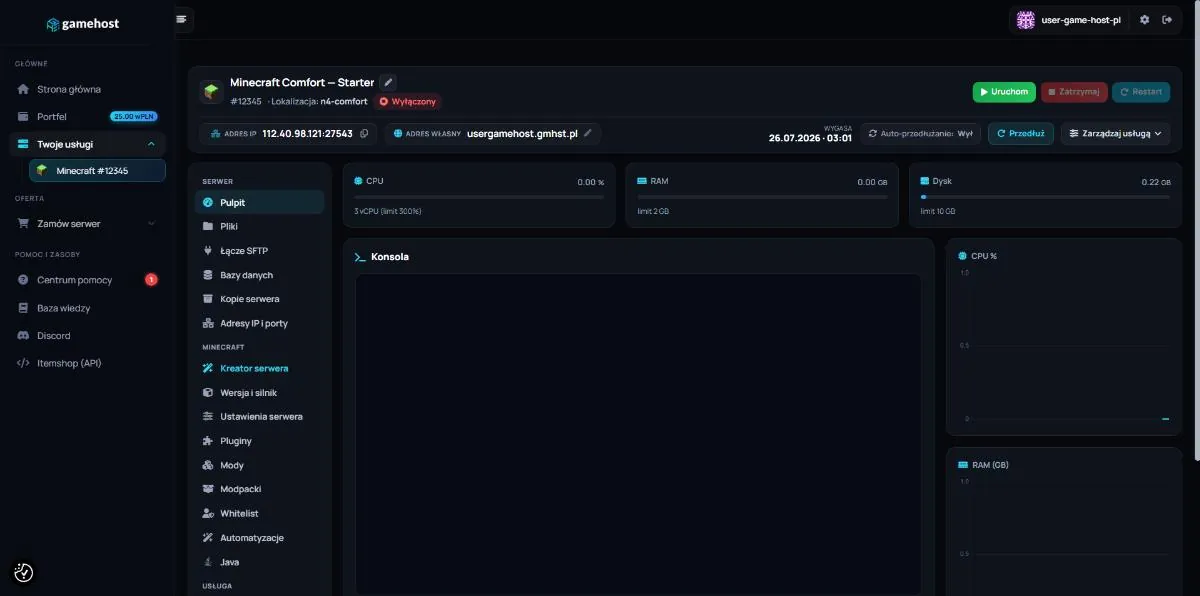
Modpacks, plugins, versions and engines change in a few clicks. The console and the server files are always within reach.
The small things that usually keep you reading forums until two in the morning. Here each one is a single switch in the panel.
The wizard asks how you want to play and picks the rest for you: engine, version, add-ons and address. At the end it installs everything.
 Paper
Paper
 Purpur
 Spigot
 Folia
Game version1.21.4
Folia
Game version1.21.4
Drop the log into the panel and instead of five thousand lines you get one sentence: what broke and what to click to fix it.
[19:42:06][main/INFO]Starting minecraft server version 1.21.4
[19:42:06][main/INFO]Loading properties
[19:42:07][main/INFO]Default game type: SURVIVAL
[19:42:07][main/ERROR]Exception in thread "main"
[19:42:07][main/ERROR]java.lang.UnsupportedClassVersionError:
[19:42:07][main/ERROR]  net/minecraft/server/Main has been compiled by a
[19:42:07][main/ERROR]  more recent version of the Java Runtime
[19:42:07][main/ERROR]  (class file version 65.0), this version of the Java
[19:42:07][main/ERROR]  Runtime only recognizes class file versions up to 61.0
[19:42:08][main/WARN]Server process stopped before world load
[19:42:08][main/INFO]Process exited with code 1
Minecraft 1.21.4 needs Java 21, while the service is set to Java 17. The server shuts down before it can load the world.
On the left, how it goes without a panel. On the right, what ours does for you.
The things people ask us before buying. If something is missing, write to us on Discord.
The panel has a catalogue of packs from CurseForge, Modrinth, Feed The Beast, ATLauncher and Technic. You pick the modpack and the version, and we build the server around it and set the matching Java for you.
Yes, at any time. You do it under Version and engine, or with the wizard, which also sets the matching Java. Take a backup before a bigger change, because files can be overwritten.
No. You take your own subdomain on gmhst.com and players type the name alone, with no colon and no numbers.
Every Minecraft server needs it accepted, and until then it shuts down right after starting. When the panel spots that message in the console, it shows an accept button - one click and the server runs.
For vanilla play with friends 2 to 4 GB is usually enough. A server with plugins makes sense from 6 GB up, and modpacks want 8 GB or more. You can change the plan later in the panel, and our calculator will suggest one.
Yes. You add subusers and give each of them separate permissions for the console, files, backups and billing. The activity log shows who changed what and when.
Drop the log into the analysis in the panel. A set of rules checks it for the usual failures, and when none of them match, a model reads the log. You get the cause in one sentence and a button that fixes it.
Yes. Upload it with the file manager or over FTP, the same as plugins and configuration. Then start the server and watch the console.
Support, guides and people who run the same servers you do.












 Fabric
 Forge
Forge NeoForge
 Pufferfish
 Velocity
 Vanilla
 Sponge
 Waterfall
 BungeeCord